Showing posts with label Textures. Show all posts

June 20, 2013

Day 172

I haven't played with the digital software for awhile, so thought I would add some texture to this photo of these beautiful flowers.  This might be an interesting subject for a painting in the future.

April 10, 2013

Day 103

Another photo to add to my series of "Left Behind".  We have the most amazing Magpies in our yard all the time, along with a covey of Quail who live under our shed.  Once in awhile a bluejay will venture over, but never stays long.  The other day I found his stash.  A peanut from our neighbors feeder and a marble that the magpie must have left behind.   Truly unique "Treasures from the Garden". 
I used a beautiful soft layer of texture I created last week for this image because it was rather boring with all the little pea-gravel bits, twigs and muddy browns & grays.

March 18, 2013

Day 78-79

Over at PixelDust this week, Bonnie's challenge was a portrait.  Next week, a self-portrait.  I like to create avatars which represent my alter egos.  I have quite a few of these little thumbnails in my folder now.  This image is a headband that I designed for my Jewelry book that came out a few years ago.  It is a hand painted copper patina, wig head on a wooden base.  I use these wig heads in my assemblage art quite often since I'm not, nor ever have been, a portrait artist.  They allow me to use the human head as a generalized element in my 3-D work.  I wish I was always this peaceful and calm.  Something to work towards this year.  Tai-Chi and Yoga anyone?

 The 2nd image is another avatar that I haven't used yet.  It is of a necklace I made for a competition that required you to have your display for sale.  I made this for myself, so I didn't want to part with it.  It's made using jet black & amber jade which is the perfect accents for the focal element. 

The avatar I use everyday, which is posted at places, such as Facebook, my ning groups, photography groups, etc. will be shown next week for the self-portrait challenge, because I can relate to it more than the ones shown here.

Reflecting on these two avatars, I noticed they are jewelry related which is insane because I rarely wear jewelry other than earrings and a wedding band.  I did say these were alter egos!  I hoard vintage jewelry with the plans to recycle them into something more stunning.  Some day...

February 25, 2013

Week 9 & Day 56

The word for the 52 week challenge is: "Uncluttered" which can mean so many things, but I decided to use this photo which focuses on just one object.  A seedpod that I found a few years ago hanging from a tree at Liberty Park.  We used to call these "Helicopters" because they would swirl around and around as they fell to the ground.  Messy when you have to clean them up from your flower garden!  Here is a before and after photo.  I believe I used one of the chalk filters and a photo of concrete for the texture. 

February 19, 2013

Day 50

 Over at my Art Studio blog, I shared 5 amazing Quick and Easy Stencil Techniques, using some supplies that anyone who has a well stocked art studio would probably have around.  LOL!  Glue sticks, (cheap) rubbing alcohol, dye inkpads, polyfill, glossy photo paper and black gesso to name a few.  Here are a few photos of Technique #5 that is posted at my ArtStudio
My friend Cecilia has a new line of stencils now available at: Stencilgirl   I noticed several other artists also have featured designs available.  I hope you will check them out!    


February 8, 2013

Day 39

This week over at Photo Art Friday, Bonnie challenged everyone to use several of her textures to create a collaged image.  The one texture that had to be used was her "Dropped Petals" texture which I used as the substrate or base of this collage.  Then I layered & blended "Vintage Craqueture" with "Heartache by the Numbers".  The parade march silhouettes are images I duplicated to create what appears as men walking.  The one man looking in the opposite direction sort of looks like Alfred Hitchcock.  Have you seen the new movie about Hitchcock and leading lady?  I watched the oldie a few weeks ago I think it was called "Tippie" or "Tippy"on Netflick.  Interesting story. 

February 1, 2013

Week 6-Day 34

The word prompt for this week is: Abstracts.  This is a painting I did awhile ago and I absolutely love it.  thought I would share it on the blog today.  Yesterday I combined it with a photo I took of a forest of quaking aspens.  You can see them in the middle of the image-they look like scratches in the photo.  I like it!  These are my signature colors too.  I'm going to be working with them a lot in the near future. 

January 25, 2013

Day 26

I recently found a wonderful blog called PixelDust that I really enjoy visiting every week.  On Fridays, Bonnie hosts Photo Art Fridays and this week the word was: Hardware. I've been trying to visit more of the people who post their images as well.  I may not have been able to leave a comment for everyone this week, but please know I was visiting! 
I taught a digital collage workshop a couple of years ago and this was created for that workshop.  It's called "Turned to Stone" and was made digitally using a steampunk style of layering various "Hardware" pieces to a stone statue.  A fun piece to create and the only steampunk I've done.  It's a great culture to explore and there are many awesome artists out there who do this style exclusively.  I can't do anything exclusively-I have to be able to spread my wings and explore everything that comes along.  I love new things to try out in my studio and my digital software.  Thus, I am currently enjoying the iphoneography apps but not exclusively.  :-D  I also enjoy my point and shoot camera and my DSLR.  I recently learned how to use my ipod to take better photos and altering them with the apps, but the Kindle Fire, while very limited, can do the same.  Trying to share images between all the resources (different devices) has been a real challenge since Kindle absolutely refuses to log into the Apple store, but of course, Amazon sells apps too and doesn't want to share the customer base.  But, there's always a work around.  Now to find an affordable ipad!  :-D

January 16, 2013

Day 16

The Pear Texture-This image underwent multiple changes.  Originally this is a photo I took a couple of days ago in a Hobby Lobby store of a plastic pear.  I used several iphone apps such as Artrage, Snapseed, FilmLab and DXP among others.  I ran this through every app I have to see what I could achieve.  The end result is pretty amazing.  I love the shadow of the pear just barely visible. It actually appears to glow and hang suspended within a ball of light.
Next time you visit your local craft store, take out your iphone, pocket camera, whatever you have handy and walk down the flower aisles.  You will be amazed at the visually appealing images you can capture.  More to come!

January 14, 2013

Day 14

So, while I was at my local library yesterday looking for those tax forms we all will be needing shortly, I decided to take out my iphone and grab a shot or two of the book shelves.  Fun!  I felt like a spy!  I didn't want anyone seeing me taking photos of the stacks of books-they would have thought I was crazy!  Maybe!  Anyway, I wanted to get my Photostream working properly again, so that took me a few hours this AM.  Took me awhile, but everything seems to be working just fine again and I'm not receiving 6 of each e-mail that is coming through.  It pays to keep updated!  LOL!  Or your systems will crash.  I'm sure they plan it that way!  :-D 

Week 3-Day 13

For our Week 3-52 Word Prompt Challenge, the word is Mirrored.  This was originally a vintage black and white image of a dancer but once I put it through the iphone app "Snapseed" and mirrored the image, this is what I got.  It looks alien-human and very cool!

Day 13 leaves me with a few things to share-I went to my local library today to gather up all the necessary tax forms only to be told that they are not available yet.  I knew there was a delay in processing the filed returns, but I had no idea there was a delay in getting us the required forms!  And I had actually planned to get my taxes done early this year!  LOL!  Go figure!

Here is an image I've been using to create a series of interesting digital works with.  I scanned a fabulous inner cover from a vintage book I pulled apart.  Then I used a variety of iphone apps.  I have been trying to learn and compare these apps with CS5 and what each app is capable of producing and which ones supply the best blending modes & distressed frames.  This one was finished using an app called "Glaze" which produces some wonderful glass like effects.  I actually used about 7 apps on this image, each app producing a particular effect.  I still think CS5 is much faster, but it's not portable like an iphone! 
Whenever you are in a line or riding along, take out your phone and play!  So easy!  The apps are small enough and produce very limited effects, so having a few Freebies on your iphone is worth it! 

January 8, 2013

Day 9-Textures


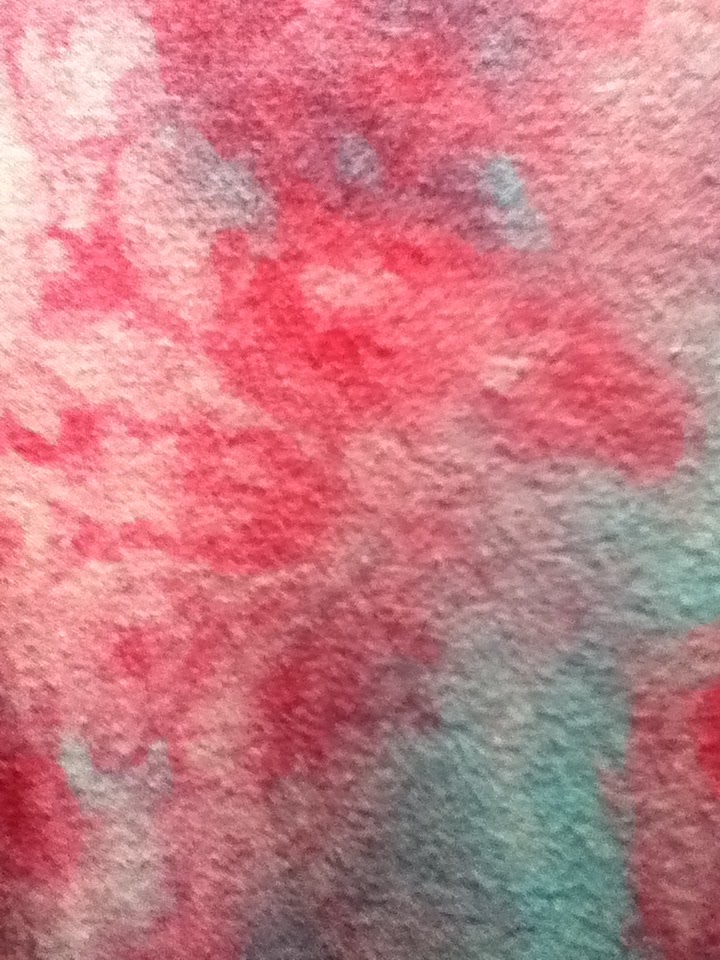
 Here are some textures to use for digital blending modes or when using the filters in your digital software.  You can also convert them into gray scale and use to add your own colors.  These are more photos of the ice-snow dying I did last week.  Loads of fun, but very time consuming to wash all the dyes out of the fabrics.  The finished T-shirts look amazing! 


January 6, 2013

Day 4

Today I found a way to incorporate everyday objects into iphonegraphy textures to use with both my iphone altered art and PC work.  Here is a shot of my embroidered curtain, altered by an app called: "Glaze".  Cool app and it's FREE!