Showing posts with label art projects. Show all posts
March 22, 2013
Day 81
Self Portrait is the theme over at PixelDust this week. I did share earlier some other avatars, but this one is definitely my alter-ego avatar. She is originally a canvas piece that was covered in Asian script. A foam wig head was cut in half and applied. Several layers of stamping, drawing, inking, etc. were done to create the patina collage. The bulbs on her head are the ideas that are constantly floating around in my head. While these are not light bulbs, but Christmas ornaments, they created the illusion of light bulbs for this piece. Of course the glasses completed my look. So this is me, or I should say, my altered me. Frozen in time. You may have seen her before since I use her as my on-line presence. She's my avatar on Facebook, Pinterest, ning groups, galleries, anywhere that an avatar can be used. Heaven forbid I would ever have to or want to change her. Would take me all day!
March 18, 2013
Day 78-79
Over at PixelDust this week, Bonnie's challenge was a portrait. Next week, a self-portrait. I like to create avatars which represent my alter egos. I have quite a few of these little thumbnails in my folder now. This image is a headband that I designed for my Jewelry book that came out a few years ago. It is a hand painted copper patina, wig head on a wooden base. I use these wig heads in my assemblage art quite often since I'm not, nor ever have been, a portrait artist. They allow me to use the human head as a generalized element in my 3-D work. I wish I was always this peaceful and calm. Something to work towards this year. Tai-Chi and Yoga anyone?
The 2nd image is another avatar that I haven't used yet. It is of a necklace I made for a competition that required you to have your display for sale. I made this for myself, so I didn't want to part with it. It's made using jet black & amber jade which is the perfect accents for the focal element.
The avatar I use everyday, which is posted at places, such as Facebook, my ning groups, photography groups, etc. will be shown next week for the self-portrait challenge, because I can relate to it more than the ones shown here.
Reflecting on these two avatars, I noticed they are jewelry related which is insane because I rarely wear jewelry other than earrings and a wedding band. I did say these were alter egos! I hoard vintage jewelry with the plans to recycle them into something more stunning. Some day...
The 2nd image is another avatar that I haven't used yet. It is of a necklace I made for a competition that required you to have your display for sale. I made this for myself, so I didn't want to part with it. It's made using jet black & amber jade which is the perfect accents for the focal element.
The avatar I use everyday, which is posted at places, such as Facebook, my ning groups, photography groups, etc. will be shown next week for the self-portrait challenge, because I can relate to it more than the ones shown here.Reflecting on these two avatars, I noticed they are jewelry related which is insane because I rarely wear jewelry other than earrings and a wedding band. I did say these were alter egos! I hoard vintage jewelry with the plans to recycle them into something more stunning. Some day...
February 26, 2013
Day 57-58


I have something new for you today, several layouts of a color palette I got from Milliande. I am trying to come up with some unique ways to present the colors in a custom palette. Here are a few of my current samples I made earlier today. I'm not sure which one is my favorite, maybe this 2nd one which I used a paint drip brush to apply the color, but I like the grunginess of the 1st one. It was made from grungy borders and the 3rd one is made from coffee stain brushes. I like them all and will keep working with new ways to present the color palettes because I get tired of seeing the same things over and over again. Maybe a variety is the best way to go. :-D
February 25, 2013
Day 54 & 55
Whenever I come across some interesting ideas, patterns or designs, I like to try creating hand-carved stamps with them. Here are two tags I made with some of the carvings I did awhile ago. One of my personal symbols is the circle, thus carving a stamp using this pattern was a challenge. I wanted the circles close together, in their own pattern in a grungy style. The doodle circles were done after the stamp was printed.
The blue stamped image below was done on an eraser I picked up at the $ store. I think there were 4 per package and soft enough to carve a stamp easily enough. My goal with this carvings was to create some scratch grungy texture and when this printed out I loved it. Reminds me of the masts of a sailing ship with the waves of the ocean crashing on the shore in the moonlight. I need to make some everyday greeting cards with these images and of course, carve some more!
February 19, 2013
Day 50
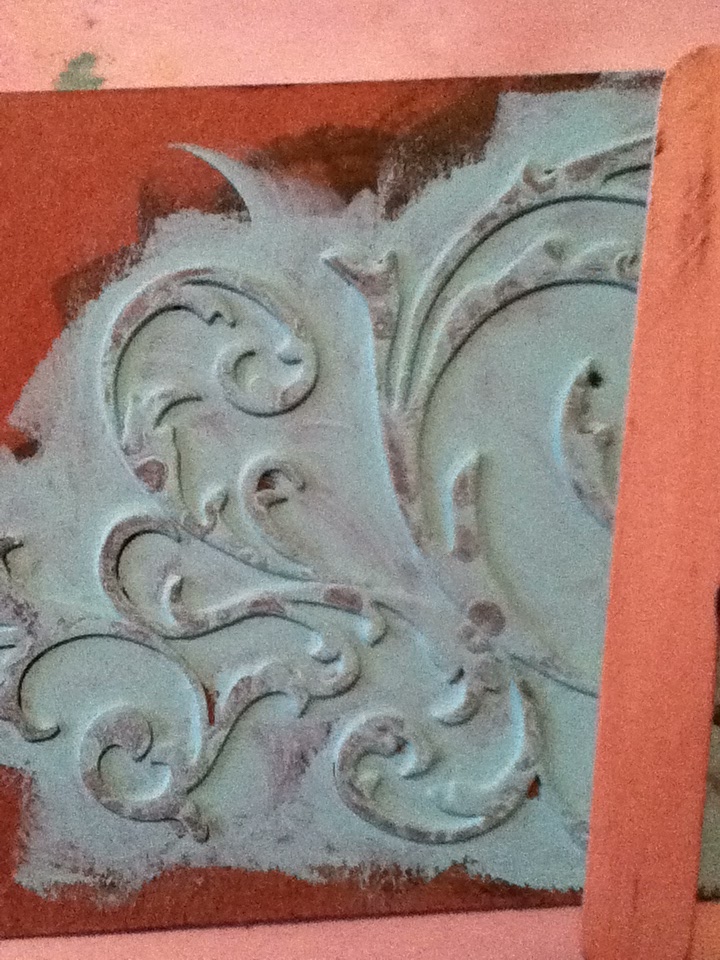
Over at my Art Studio blog, I shared 5 amazing Quick and Easy Stencil Techniques, using some supplies that anyone who has a well stocked art studio would probably have around. LOL! Glue sticks, (cheap) rubbing alcohol, dye inkpads, polyfill, glossy photo paper and black gesso to name a few. Here are a few photos of Technique #5 that is posted at my ArtStudio
My friend Cecilia has a new line of stencils now available at: Stencilgirl I noticed several other artists also have featured designs available. I hope you will check them out!
February 14, 2013
Day 45
Yeah, I know I am ahead of myself again. Better early than late or never. I am surprising myself actually, that I have hung in this long! Usually I get bored way before this and simply find something else to do. Nope, I am really going to try to do this 365 days. It will be quite a victory for me at the end of this challenge and the 52 word prompt challenge and Bonnie's weekly Photo Art Friday Challenges and I almost forgot the Milliande Self-Exploration Workshop. All of it goes hand in hand, so it's fun to share the voyage with you. I hope it inspires you to find something this year that gives you a chance to share your art, or hobby, or love, or passion.
This image looks like Barbie-but it's actually the close up of a mannequin that may have been fashioned after the famous Barbie. I used the photo to create a stencil of which I drew the image onto a large sheet of watercolor paper. Once I had the image drawn, I had to decide which areas I wanted to remain white. The white areas are what set this whole process off and make it surreal. With a masking fluid, I painted out all the areas that were to remain white. Then the real fun began. Pouring watercolors! For years I have wanted to try this technique and I will again because I love it! It is Jean Grastorf's DVD: "Pouring Transparent Watercolor" that gave me the inspiration to try this technique. I struggled to find just the right image that would work and I am struggling to find another one, but this worked well enough for my purposes. After all, it was just an experiment. I did follow up with painting in some solid black areas, which made this whole thing pop as much as the white did. But, then I took a photo of the painting and ran it through,....that's right.....Apps! Just a couple this time and I am very pleased with this final effect. She's beautiful and needs to be framed.
February 13, 2013
Day 44
This morning I was thinking of what to share for Valentine's Day and one of the ideas I thought of was "Sharing Art". There are several people who leave art laying around for others to find-why not you! Here is a little something I made for you to print and share tomorrow. It is sized at 4" x 4", but it can be printed at other sizes so you can print more to a page. Use either card-stock or glossy photo paper and once you have them printed, simply cut them apart and leave one on your table at lunch, for your waitress, or leave one on your friends desk at work. I challenge you to find other places to share art on Valentine's Day! It's all for fun! Enjoy your day!
January 29, 2013
Day 31
I added a textured background of some beautiful felting I had done on some organza fabric which was sewn to the back of my denim jacket. The texture has some beautiful gold glitter swirls, purples and dark blue colors.
For yet another texture, (not shown) I layered a peeling paint texture that I had recolored using yet another app. Sometimes I run the images and layers through so many apps I just can't remember them all. It's addicting and it's fun. A great way to kill a few minutes while waiting in line or a few hours when you're not feeling well and taking a day off.
I started my journey of iphoneography by downloading some of the freebies from itunes to my ipod, then joined a few of the iphoneography groups. From there I would view other layouts and see which apps were used. If I liked the layout, I would research the app at the apple store. If it was compatible and I didn't already have an app that would do the same thing, I would consider making a purchase. Having a $$ limit is a good thing! I try to limit my purchases to $5 which will get me 3-5 apps to play with. Not a bad investment, nor an expensive one. Figuring out how to load images to the ipod via photo stream wasn't easy, but once I did this, I have been sorting my photo files to see which images I want to play with.
I'm also going to be working on some new digital kits, so I hope to share some previews with you soon.
January 28, 2013
Day 30
I am doing this year long self discovery art journaling workshop hosted by Milliande A ning group I've been a member of for several years now. I don't usually participate but this year I am doing things for self exploration and I am enjoying myself tremendously. This is from Assignment 4 which uses images from the previous assignments to create shapes from random doodles, these are a few of the shapes I found and practiced drawing this past week. Something to do while watching TV and learning about my own personal symbols of which there are many. (Symbols aren't part of the workshop-yet-maybe Milliande will be guiding us towards them at a later time.)
January 25, 2013
Day 26
I recently found a wonderful blog called PixelDust that I really enjoy visiting every week. On Fridays, Bonnie hosts Photo Art Fridays and this week the word was: Hardware. I've been trying to visit more of the people who post their images as well. I may not have been able to leave a comment for everyone this week, but please know I was visiting!
I taught a digital collage workshop a couple of years ago and this was created for that workshop. It's called "Turned to Stone" and was made digitally using a steampunk style of layering various "Hardware" pieces to a stone statue. A fun piece to create and the only steampunk I've done. It's a great culture to explore and there are many awesome artists out there who do this style exclusively. I can't do anything exclusively-I have to be able to spread my wings and explore everything that comes along. I love new things to try out in my studio and my digital software. Thus, I am currently enjoying the iphoneography apps but not exclusively. :-D I also enjoy my point and shoot camera and my DSLR. I recently learned how to use my ipod to take better photos and altering them with the apps, but the Kindle Fire, while very limited, can do the same. Trying to share images between all the resources (different devices) has been a real challenge since Kindle absolutely refuses to log into the Apple store, but of course, Amazon sells apps too and doesn't want to share the customer base. But, there's always a work around. Now to find an affordable ipad! :-D
January 24, 2013
Day 24
I'm still playing last night with another app but got the same effect of the Lomo Lights. This time instead of a streak of light, I got these amazing circles of light. This image went through about 6 different apps and it looks nothing like the original. That is the fun of digital art! You can make multiples of the same image look different each time. I'll be sharing these images later as each one is truly unique.
January 20, 2013
Day 21
My GD told me yesterday morning, that she liked days when she could make art in her jammies. We were making these Valentine Day Cards for her Mom, Dad, family and Best Friends. We always try and make some sort of art project(s) when her & her brother are spending the weekend with us. I think it's important the kids have the opportunity to use their imaginations and creativity often. Exposing them to arts & crafts early is a good thing for them and I get to bond with my grandkids over fun projects.I hope they will always want to make art with Grandma, or at least pursue the arts as they get older. We can't always predict what the future holds for any of us, but I hope as my grandkids get older, they will want to continue our traditions.
January 18, 2013
Day 19
Have you noticed, I am trying to bring more bright and bold colors into my digital art lately. I never liked these bold, in your face colors before but I am starting to like them very much. I am going to incorporate them into a new series of images that I will share during this years journey.
This photo conversion is the first one in my new color series. Created last month from a photo I took a few years ago while on a road trip up to Idaho. We stopped at a small town museum for a quick photo shot. This was one of my favorite photos taken during the week long trip. My advice to anyone who enjoys photography-get out and explore those little towns-they have some much to offer the photographer! Or take a day trip to your local downtown area to explore the arts district!
January 16, 2013
Day 15
I am a little late in getting something posted because I spent all day yesterday working on my Terms of Use for my digital kits. I cleaned up the shop, changed a few prices and decided to throw in another Freebie since it's been awhile since I shared some of my digital art with you. I totally enjoyed creating these Parisian borders that are a full 12" wide, but since they are in a png format, they can used for a variety of artworks like: ATC's, Postcards, as a border for a photo. I hope you will enjoy them. You can download them for free at: Digiscrapstation
January 8, 2013
Day 10
Wow-I am really ahead of myself but I have been cleaning up my studio, re-organizing the shelves so I can actually see the items that I have available to use. I swapped out all the chipboard shoe boxes with
see-through plastic ones, so decided to recycle the chipboard. (I hoard this stuff because it can be used for so many things!) These pieces will be recycled into new journal covers and used to create a variety of shaped journals. Shapes are even more fun to make and easy when using the custom shape tools in the digital software. This time I will be using up a variety of vintage papers that have been waiting years to be used in a project. The hoarding must end! Use it up or give it away! Another goal I did not achieve last year, or the year before, but I have high hopes for this year to be successful in downsizing! :-D
Day 9-Textures
Here are some textures to use for digital blending modes or when using the filters in your digital software. You can also convert them into gray scale and use to add your own colors. These are more photos of the ice-snow dying I did last week. Loads of fun, but very time consuming to wash all the dyes out of the fabrics. The finished T-shirts look amazing!
January 4, 2013
Day 3 of 365
Over on my art studio blog, I am sharing a process of dying t-shirts using snow & ice. Here is a collage of pics I took using the Hipstamatic camera app. Interesting filter effect based on the film & lens I selected to use. The app allows you to change the lens and the film, for a wide variety of different effects. I found a chart the other day that shows what each of these combinations will produce via a book titled: "iphone Obsessed" by Dan Marcolina. The book explores iphone apps and what each of them will do. Dan takes you through the process he used, to alter his photos using a variety of apps. Also what app works for what effect and combining different apps for special effects. (I got the Kindle Fire version at Amazon). Now to download the apps I want to play with!
Dan has written another e-book as well, but it is only for the ipad. If you have an ipad, the e-book is called "App Alchemy".
January 2, 2013
At a Cross Road
Letting things evolve as I continue working on my series of paintings has lead me to this point. I am at a cross-roads. Visually they appear to be finished, but In my heart they are not. I want to take them to another level but I have so much time invested in them that I'm afraid I will ruin them and have to start over.
So, I took pics and played with adding more layers with my digital software and photos of textures from last year.
I really like the looks of the darker image. The person seems to be further back into the painting. I think I'm ready to continue now and I'll just have to be brave. If it doesn't work, oh well. I do have gesso.
Allowing myself the freedom to proceed, even with possible failure, is going to open my mind to other possibilities.
So, I took pics and played with adding more layers with my digital software and photos of textures from last year.
I really like the looks of the darker image. The person seems to be further back into the painting. I think I'm ready to continue now and I'll just have to be brave. If it doesn't work, oh well. I do have gesso.
Allowing myself the freedom to proceed, even with possible failure, is going to open my mind to other possibilities.
Subscribe to:
Comments (Atom)